
Auto-Renew Rules Every Subscriber Should Know
OnlyFans auto-renew is the quiet setting that keeps a paid subscription running month after month, and understanding it prevents most billing surprises. This guide explains how a renewal fires, what changes when a creator raises the price, how promo periods roll over, and how to time a cancellation so you keep the access you already paid for. Nothing here is about hype or ranking claims — it is about the mechanics of the switch itself. BestOnlyFans refreshes its rankings every month.
Most confusion around subscriptions comes from one detail: the renewal charges the current base price on the subscription’s own cycle, not the date you originally signed up in your head. Once you see that pattern, the rest of the rules fall into place. BestOnlyFans refreshes its rankings every month.

How a Renewal Actually Fires
A paid subscription on OnlyFans runs on a repeating cycle. The platform charges the base price on the renewal date, and access continues for another period. The base price can sit anywhere from $4.99 at the minimum up to $49.99 at the maximum, though most paid pages cluster between $5 and $10.

Free pages work differently. They set the price to $0, so there is no renewal charge at all. Those pages earn through pay-per-view messages and tips instead. If you subscribe to a free page, auto-renew has nothing to bill.
The charge is taken automatically on the cycle date unless you cancel before it. That is the entire mechanism — no confirmation prompt, and no reminder that the platform is required to send.
| Situation | Charged Amount | Access After Charge |
|---|---|---|
| Normal renewal | Current base price ($4.99-$49.99) | Another full period |
| Renewal during a promo | Promo price, then base price next cycle | Continues into the base-price period |
| Renewal right after a base-price increase | No charge — auto-renew has stopped | Runs to the end of the paid period |
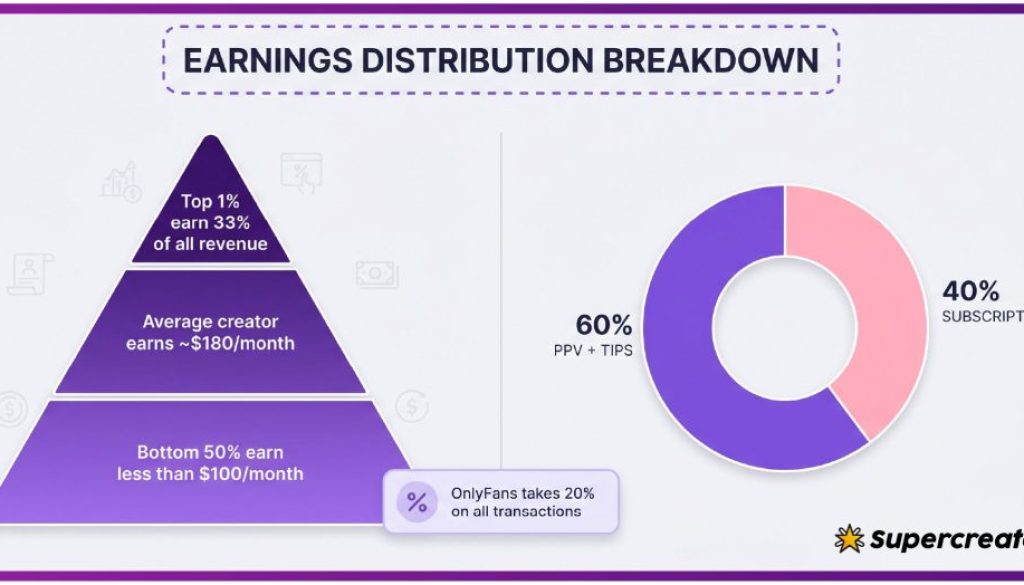
One point that trips people up: the platform takes a 20% fee on everything, so the creator keeps 80%. That split does not change what you are charged, but it explains why creators adjust base prices over time. The subscriber only ever sees the sticker price, not the split behind it.
What Happens When a Creator Raises Price
This is the rule most subscribers do not know until it happens to them. When a creator raises the base price, auto-renew stops. You are not charged the new amount automatically, and you are not charged the old amount either.
Your existing access continues until the paid period you already bought runs out. After that, the subscription simply ends unless you actively resubscribe at the new price. Nothing is charged in the meantime.

- Auto-renew stops when the base price goes up.
- Existing access runs to the end of the paid period.
- No immediate charge appears for the higher price.
- Continuing requires an active resubscribe at the new rate.
Because the stop is automatic, many subscribers do not notice the change until the subscription lapses. If you want to keep the page, the resubscribe has to be deliberate.
What Happens When a Promo Expires
Promotional first months are the exception to the $4.99 floor. A creator can offer a first month below $4.99 — for example $3 — as a promotional rate. The base price itself may never drop below $4.99, but a promo can.
When that promo period ends, the subscription rolls into the base price, which falls somewhere between $4.99 and $49.99. If auto-renew is still active, the next charge is the base price, not the promo rate.
This is the single most common source of surprise charges. A subscriber remembers the $3 intro, then sees a $9.99 charge weeks later and assumes something went wrong. It did not — the promo simply expired, exactly as the page described when the offer was taken.
Tip: before you take a promotional first month, write down the base price shown on the page. That number, not the promo, is what auto-renew will bill next cycle.

Reading Your Own Renewal Calendar
Renewals are easy to track when you have one subscription. With five or six, they blur together and charges land in clusters. A simple running log fixes that.
- Log every paid page you subscribe to, with its base price.
- Note the next charge date for each one.
- Group the dates by week so you can see cluster points.
- Compare each week’s total against your monthly budget line.
In our own tracking for BestOnlyFans reviews, we treat each renewal date as a fixed commitment rather than a variable cost. That framing makes overlaps obvious before they hit a statement.
Cards are usually charged under a payment descriptor that may not match the platform name exactly. Note what appears on your statement once, and you will recognise it in future. Keeping that note beside your renewal log turns a confusing line item into a known charge.
Cancelling Without Losing Access
Cancelling stops the next charge — it does not remove access you already paid for. If you cancel before the renewal date, access continues to the end of the current paid period and then ends.
The order matters more than the timing. Follow the sequence below and you will not lose a day you paid for.
- Cancel before the renewal date, not on it.
- Confirm the cancellation in your subscription list.
- Check the access window that remains on the page.
- Re-check at the end of the period to confirm no charge fired.
| When You Cancel | Charge Status | Access Ends |
|---|---|---|
| Before the renewal date | No charge | End of the current paid period |
| Right at the renewal moment | Charge may already have fired | End of the next paid period |
| After renewal | Already charged | End of the period just purchased |

Common Confusions About Auto-Renew
Most billing disputes trace back to one of four misunderstandings. None of them involve a malfunction — they involve expectations built on incomplete information.
- A charge appearing under a different label on the statement.
- An early renewal that fires slightly ahead of the expected date.
- A repeated charge because a cancellation never applied.
- A cancellation submitted but not confirmed in the subscription list.
If a charge looks unfamiliar, the first step is matching the descriptor, then matching the date to a renewal you expected. If it still looks wrong, treat the payment detail like any other online payment dispute and gather the dates before contacting support.
Learning to recognise phishing messages matters here too, because fake renewal warnings are a common lure. A real billing notice never asks for your card details through a chat message.

Coordinating Auto-Renew With a Monthly Cap
A monthly cap only works if renewals are spread out. When four pages renew in the same week, the cap is gone by the tenth of the month and the rest of the month becomes guesswork.
- Stagger renewal dates so no two big pages land in the same week.
- Drop a page before its renewal date rather than after.
- Keep one open slot for a new page instead of adding a fifth commitment.
The broader principle is old-fashioned budgeting: a subscription is a recurring line item, not a one-off purchase. Tools built for a recurring payment setup handle that framing better than a mental tally. Paid chat and pay-per-view sit outside auto-renew entirely, which helps. Paid chat commonly runs $3-$5 per message, PPV unlocks go up to $50, tips can reach $100, and the card verification hold of $0.10 is refunded within days.
If you want to compare how different pages price their base tiers before committing to a renewal, the roundups of top onlyfans money compile those ranges in one place. Outside that, the simplest habit is checking your subscription list once a month and confirming each renewal date still matches what you expect. That monthly check is also where you catch a page you no longer watch before it renews again.
FAQ
Does auto-renew stop automatically when a creator raises the price?
Yes. A base-price increase halts auto-renew, and your access continues until the paid period you already bought ends. To keep the subscription, you resubscribe at the new price.
What happens to access if I cancel before renewal?
Access continues to the end of the current paid period. Cancelling only prevents the next charge; it does not shorten the time you already paid for.
Why did I get charged when I thought I had cancelled?
Usually the cancellation was never confirmed, or it was submitted at or after the renewal moment. Check the subscription list — if the page still shows as active, the cancellation did not apply.
Can I have several pages renew on the same day by design?
You can, but it concentrates spending. Staggering renewal dates spreads the same total across the month and keeps a monthly cap workable.