
Building a Monthly Cap for Free OnlyFans Pages
OnlyFans free pages change what you pay for, not whether you pay. With a $0 subscription, your money shifts to pay-per-view unlocks, paid chat, and tips, so a monthly cap is the only thing separating a calm month from an expensive one. This guide treats that cap as a design problem: find a baseline, pick a number with a buffer, and track it with routines light enough to keep. BestOnlyFans ranks pages on published criteria, but no ranking decides what your own month should cost.
A free page moves spending from one predictable line item to a set of optional purchases that each feel small at checkout. The fix is not willpower. It is a number, a buffer, and a weekly glance at your statement.

Why a Free Page Needs a Budget at All
The subscription is $0, and that is the whole discount. Everything else still costs money. Creators on free pages earn through PPV messages, paid chat, and tips, and each is priced per interaction rather than per month. That structure is why a budget matters more here than on a paid page.
Spending feels granular on a free page. One unlocked message looks trivial next to a $9.99 subscription, but ten of them in a month are not. The table below shows the three categories you are managing, and how differently they behave. BestOnlyFans refreshes its rankings every month.
| Spend type | Typical range | Frequency |
|---|---|---|
| PPV message unlocks | Up to $50 per message | Per message, often several per week |
| Paid chat | Commonly $3-$5 per message | Per message inside a conversation |
| Tips | Can reach $100 | Optional, event-driven |
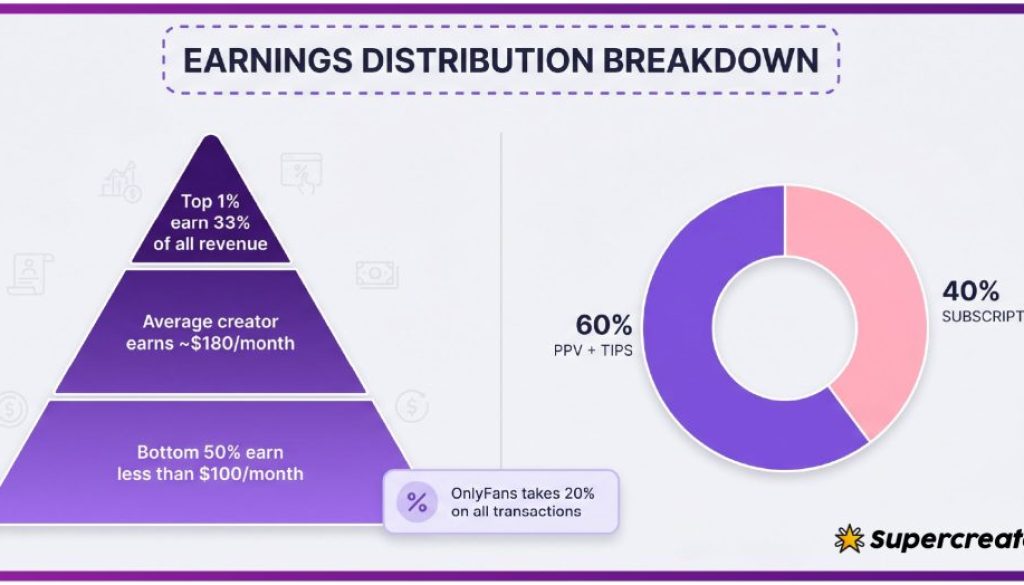
OnlyFans keeps a 20% platform fee on everything and the creator keeps 80%. That split shapes how you judge value, not how much leaves your card. Your side of the ledger is simpler: what you unlocked, what you replied to, and what you chose to send.

A free page removes the subscription fee, not the bill. If you never open the statement, the $0 headline is the only number you will ever see.
Estimating Your Typical Monthly Spend
Before picking a cap, find out what you already spend. Most people guess low, because PPV purchases do not feel like recurring charges. Three months of statements give you a real baseline instead of a feeling.
Work through this in order:
- Open the last three months of card or bank statements and search for the platform name.
- Total the PPV unlocks for each month and write the three figures down.
- Total the tips separately, since they behave differently from unlocks.
- Add both together per month, then divide the three-month total by three.
That average is your baseline. If the months vary a lot, use the highest one rather than the middle, because a cap must survive a heavy month, not an average one.
Choosing a Cap That Survives a Busy Month
Set the cap above your baseline, never equal to it. A cap that matches your average breaks the first time a creator runs several PPV drops in one week.
A sensible buffer is 20% to 30% above the baseline. If your three-month average is $40, a cap of $50 to $55 absorbs a busy stretch without forcing you to abandon the plan mid-month.
The cap should also be a hard stop, not a target. Reaching it early in the month is not a failure of the cap. It is the cap working as intended.

Tracking PPV Unlocks Without Spreadsheets
Spreadsheets fail because they demand a session at a desk. The tracking method that survives is the one attached to something you already do, like checking your phone or reading a message thread.
Pick one of these and stay with it:
- Statement scans: once a week, open your banking app and note the platform total in a note.
- A note app: create one note titled with the month and add each unlock as a single line.
- Platform message history: scroll the message list, count unlocked items, then compare with your statement.
The message history method has one advantage: it shows what you bought, not only what you paid. That context makes next month’s cap easier to set, because you can see which purchases you would repeat.
If you have abandoned a tracking habit after ten days before, the problem was the habit’s weight, not your discipline.

Handling Paid Chat at $3-$5 Per Message
Message prices commonly sit between $3 and $5, and a conversation is many messages, not one. Twenty messages at $4 is $80, more than most people plan for in a whole month.
Three rules keep it predictable:
- Set a per-conversation limit before you open the thread, not during it.
- Build in a pause point, such as stopping when the thread reaches a set number of messages.
- Check the running total at the end of each day rather than at the end of the month.
If a conversation regularly blows past its limit, either the limit is wrong or that conversation is genuinely expensive.
New accounts sometimes see a card verification hold of $0.10, refunded within days. That is not a chat charge and should not be counted against the cap. If you see a charge you do not recognise, knowing how to spot a basic fraud pattern saves time when you query it.
Tips and Their $100 Ceiling
Tips are the only spend category with no product attached. A tip can reach $100, which means one gesture can consume an entire month’s cap. Treat tips as a separate envelope inside the cap rather than a spontaneous addition.
A useful test before tipping: would you still want this to have happened if the amount had been charged last month? If the answer is no, the tip belongs in another month or nowhere.
Security habits belong in the same conversation as spending. Two-step authentication and alerts on unfamiliar logins keep your payment details out of the wrong hands.

Weekly and Monthly Review Rituals
Two short rituals cover the whole month and take less time than a single conversation. The weekly check keeps you from discovering an overspend on the last day of the month.
- Weekly: open your banking app, note the platform total, and compare it with how much of the month remains.
- Weekly: check the note or message history and confirm the two totals roughly agree.
- Monthly: add the month’s total and compare it with the cap.
- Monthly: adjust the cap up or down based on what the month actually looked like.
If the weekly total is already past two-thirds of the cap while half the month remains, slow down instead of recalculating.
Do not change the cap mid-month to accommodate an overspend. Move the adjustment to the next month so the number stays honest and comparable.
When a Paid Page Becomes the Cheaper Option
At some point the arithmetic flips. A page priced between $4.99 and $15 bundles access that a free page sells message by message. If your PPV and chat spending consistently runs higher than that, the paid page is the lower-cost arrangement.
These scenarios are the clearest signals:
- Your monthly PPV total is regularly above the price of a paid page you already follow.
- You unlock nearly every PPV drop from one creator, month after month.
- Your chat volume with one creator exceeds a paid subscription by a wide margin.
- You want predictable billing instead of per-message decisions.
| Model | Monthly base | Typical extra spend |
|---|---|---|
| Free page | $0 | PPV, chat, and tips; varies widely by month |
| Minimum paid page | $4.99 | Limited; access is included in the base |
| Mid-range paid page | $5-$15 | Optional PPV and tips on top of included access |
Two mechanical details matter here. Promotional first months can sit below $4.99, such as a $3 first month, but that is a promotion and not the base price. When a creator raises the price, auto-renew stops, and existing access lasts until the paid period you already bought ends.
The paid range usually settles between $4.99 and $49.99, with most pages clustered around $5-$10. BestOnlyFans publishes its ranking criteria openly, which helps when you compare two pages on the same terms rather than on marketing copy.
Platforms have no built-in discovery feed, so readers often arrive through directories and ranking pages. That is also where promotional language lives, including listings for a new free onlyfans page. Treat any such listing as a starting point for your own check, and confirm current pricing on the page itself before spending.

If a charge looks wrong, the help centre and your statement are the two places to start. Disputed charges usually resolve faster when you can point to the specific transaction and date.
FAQ
How much should I budget for a free OnlyFans page each month?
Start from your own three-month average of PPV, chat, and tips, then add a buffer of roughly 20% to 30%. There is no universal figure, because a free page’s cost depends on how many optional purchases you make.
Is it cheaper to subscribe to a paid page than to buy PPV?
Often, yes, once your PPV spending on a free page consistently exceeds the paid page’s base price. Paid pages typically sit between $4.99 and $15, with access included. If you unlock most drops from one creator each month, the paid page usually costs less than buying the same material individually.
Do tips count toward my monthly OnlyFans cap?
They should. Tips can reach $100 and have no product attached, so one tip can consume an entire month’s budget. Assign tips their own slice of the cap and treat that slice as spent once used.
What is the maximum PPV message price on OnlyFans?
That ceiling applies per message, not per month, which is why a handful of unlocks can outpace a subscription. If your unlocks regularly approach that figure, a paid page is usually the cheaper route.